
Single table
Pick Castle, Tower or Dungeon and play it on its own. Each table keeps its own high score list, which makes this the mode for score hunting and training single tables.
Dynamix · Sierra On-Line · 1996
Welcome to the Infosite about "3-D Ultra Pinball: Creep Night". A small, ad-free fan resource for Sierra’s haunted pinball classic — everything worth knowing about the tables, plus the tools built along the way, free to use.
| Developer | Dynamix |
|---|---|
| Publisher | Sierra On-Line |
| Released | 1996 |
| Genre | Pinball simulation |
| Platforms | Windows, Macintosh |
| Series | 3-D Ultra Pinball |
This is an unofficial fan page. All trademarks belong to their respective owners.
Game Guide
Creep Night is a mission pinball game. Racking up points is only half of it — each table hands you a list of five challenges, and finishing them is what moves the game forward. This page covers the controls, how a table is laid out, and what every challenge actually asks of you.
The (extremely short and mediocre) Story:
After a hundred years of dormancy a vortex to the
Underworld has torn open, and the creatures pouring out of it have overrun the
castle grounds, the tower and the dungeon below. You seal it the only way a pinball
game allows: one silver ball at a time. Time to smash some goblins!
Yeah, and that's it. But do you really need an involved, deep backstory to shoot some silver balls along a pinball table?
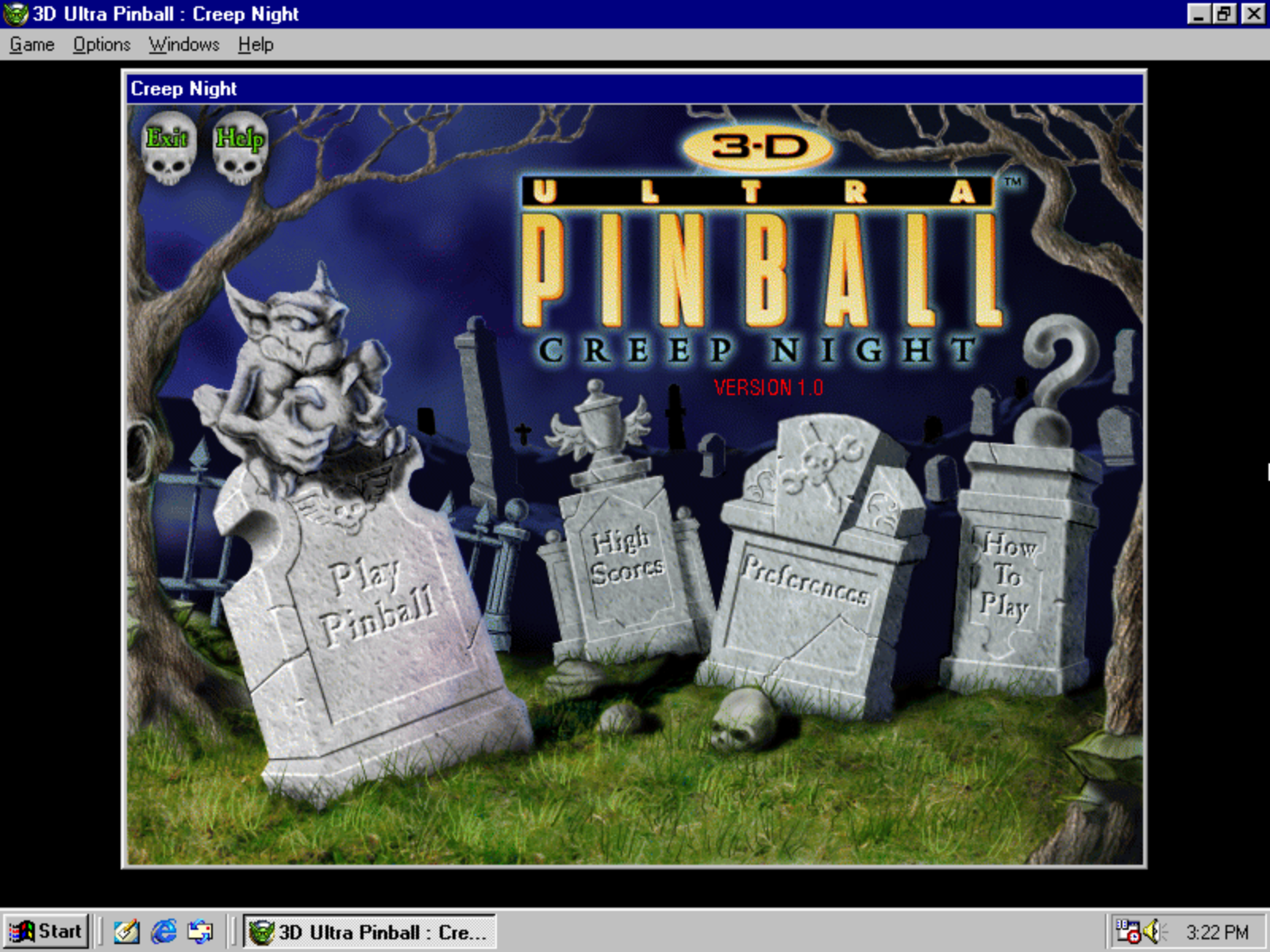
These are the defaults documented in Dynamix’ own demo release. The retail version lets you reassign everything, and the game also accepts a mouse or a gamepad.
| Action | Key |
|---|---|
| Left flipper | Ctrl |
| Right flipper | Shift |
| Plunger | ↓ Down Arrow |
| Nudge left | Z |
| Nudge right | / |
| Nudge centre | Space |
Most keyboards will not register both Shift keys at once, so if you want one flipper per hand on the same key, remap them — keys like < and - work well.
There are three tables — Castle, Tower (well, it's more like a lab but okay) and Dungeon — plus a fourth one you have to earn. The fourth and final one is basically a slightly modified version of the Castle table. Each table is split into three connected playfields: a large main area in the middle with a smaller field to either side. The ball can travel to each of the side playfields if shot through connecting passages.
The status bar along the bottom of the screen carries your score, the balls you have left (3 or 5, depending on your settings), and some helpful texts on what to shoot. The lit challenges (see playfield) are the ones you have already cleared; the flashing one is the challenge that is currently next, and the unlit ones are not done yet.
Pick Castle, Tower or Dungeon and play it on its own. Each table keeps its own high score list, which makes this the mode for score hunting and training single tables.
The story mode. Clear a table’s five challenges and you travel on to the next one by selecting a different table via Goblin Goodies or shooting the portal. Finish all three in a single game and a fourth table opens up: a special version of the Castle with five new challenges, ending in a showdown with the Goblin King. (He's the evil one we need to kill!)
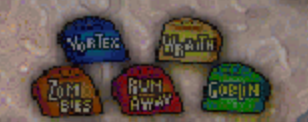
Every table has five challenges (or "modes"), and only one is active at a time. The bumpers advance the flashing challenge light — that is your steering wheel. Keep an eye on which challenge is currently flashing and bump your way to the one you want before you start a challenge.
The five challenge types repeat across all three tables in different variants: a multiball target, a creature that hunts your ball, a “hit them wherever they pop up” round, a runner you have to flatten, and a group of monsters to clear out. Learn the pattern on one table and you already understand the other two.
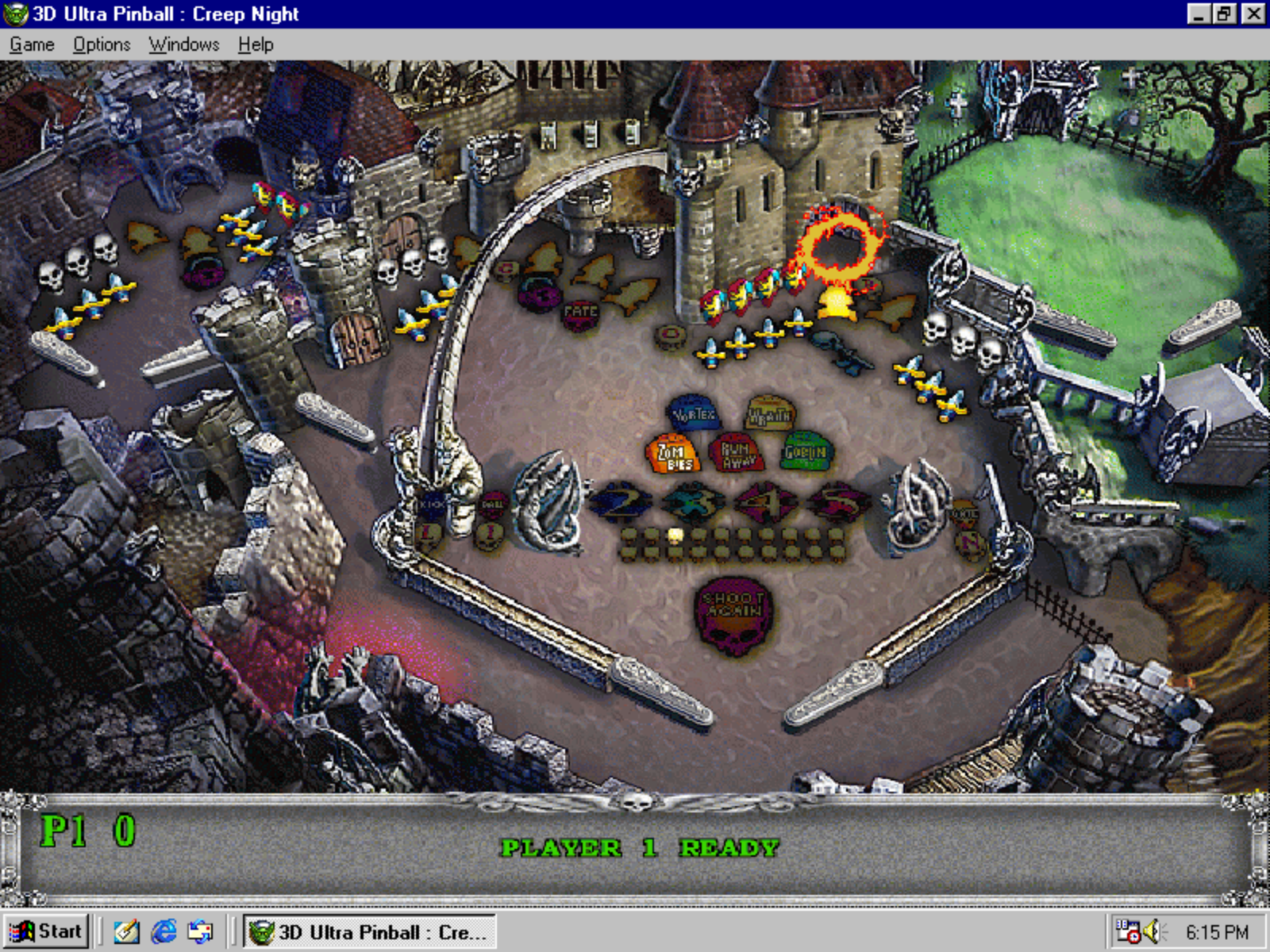
Castle grounds split into a town, the castle itself and a graveyard. The graveyard stays shut until you knock the three skulls off the door on the left edge of the middle playfield. The graveyard opens up on the right side.
| Challenge | What to do |
|---|---|
| Zombies | Three zombies claw their way up. Knock them all down, then hit the tower gate for the payoff. This mode is timed: If you take too long, the zombies will get up again after a while. |
| Goblins | Seven goblins appear one after another, each in a different spot. Hit as many as you can by shooting them with your silver ball until the time runs out. |
| Runaway | A goblin drives an ATV across the table. Run him over as often as you can manage, until the time runs out. |
| Vortex | Three-ball multiball. Hit the vortex until all balls but one are drained. You then have a few seconds to shoot the vortex again, restarting the mode. |
| Wraith | A ghost that magnetically drags your ball off course. Stay out of her reach and hit the tower gate for millions. If the wraith catches your ball, the ball ends. |
With all five cleared, five keys appear. Hit them to open the magic portal, and the portal drops you into the Castle’s video mode: a shooting gallery where you pick off passing creatures for points. (see also Eastereggs!).
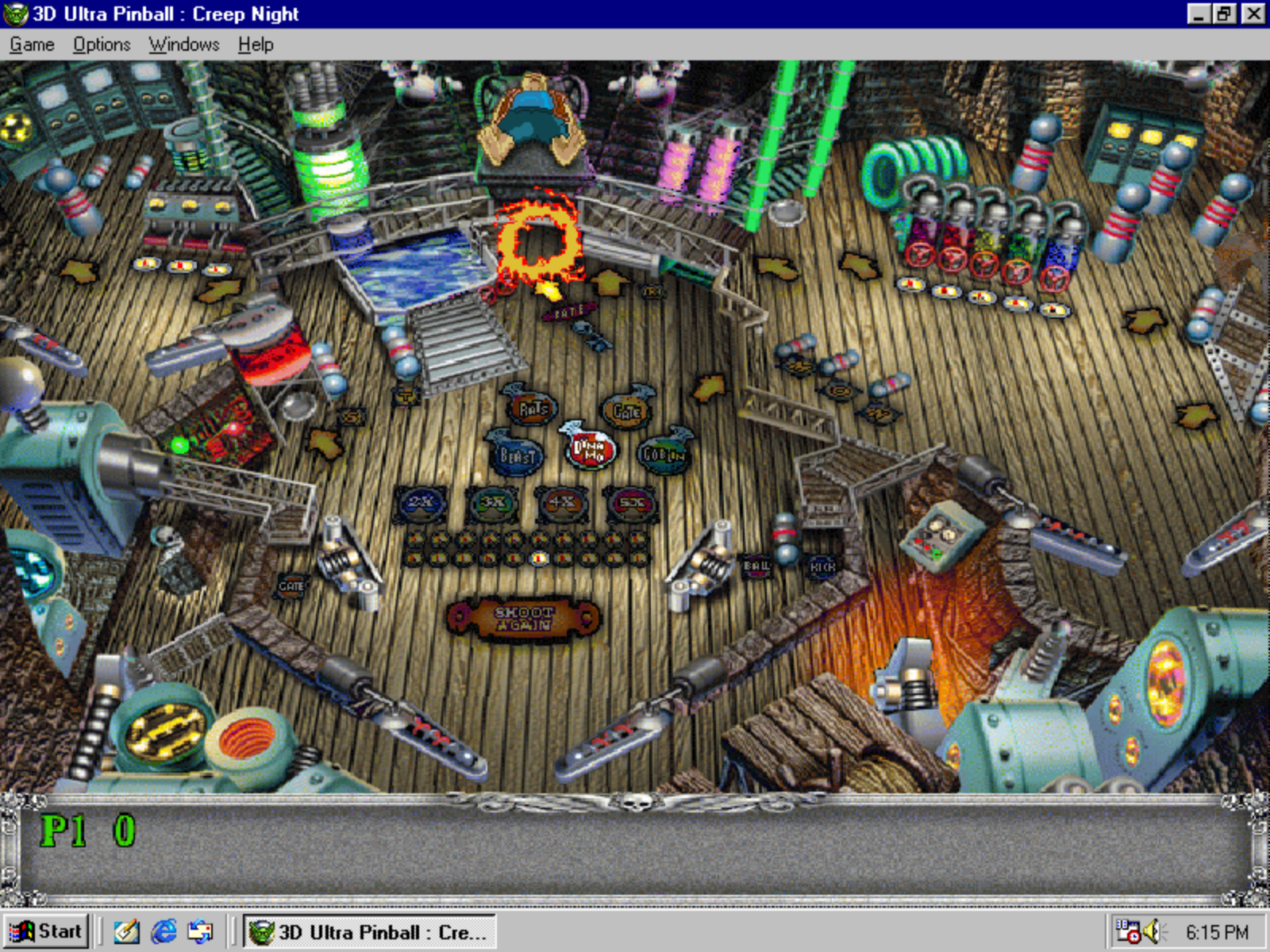
A mad scientist’s laboratory at the top of the tower.
| Challenge | What to do |
|---|---|
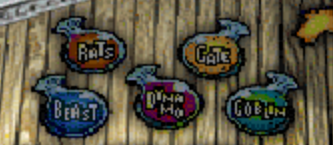
| Rat | The lab’s runner round: Shoot it as often as you can in the given time. |
| Energy Gate | The Tower’s answer to the Vortex, but with a single ball. Keep hitting it until the time runs out. |
| Beast | A tentacled thing surfaces in the big water tank. Hit the tank as often as you can. |
| Goblin | Goblins turn up at random spots around the lab. Same drill as on the Castle. |
| Dynamo | Hit the dynamo over that pops up on the right side and over to charge it up. |
All that electricity has a consequence: clearing the five challenges revives Frankenstein’s monster, and you need five clean hits to put him back down. The Tower’s video mode arms you with an energy gun — shoot enough ghosts and they start coming at you as bats.
The Tower is also where the biggest scores live, because its multiball jackpot can be pushed higher than anywhere else in the game.
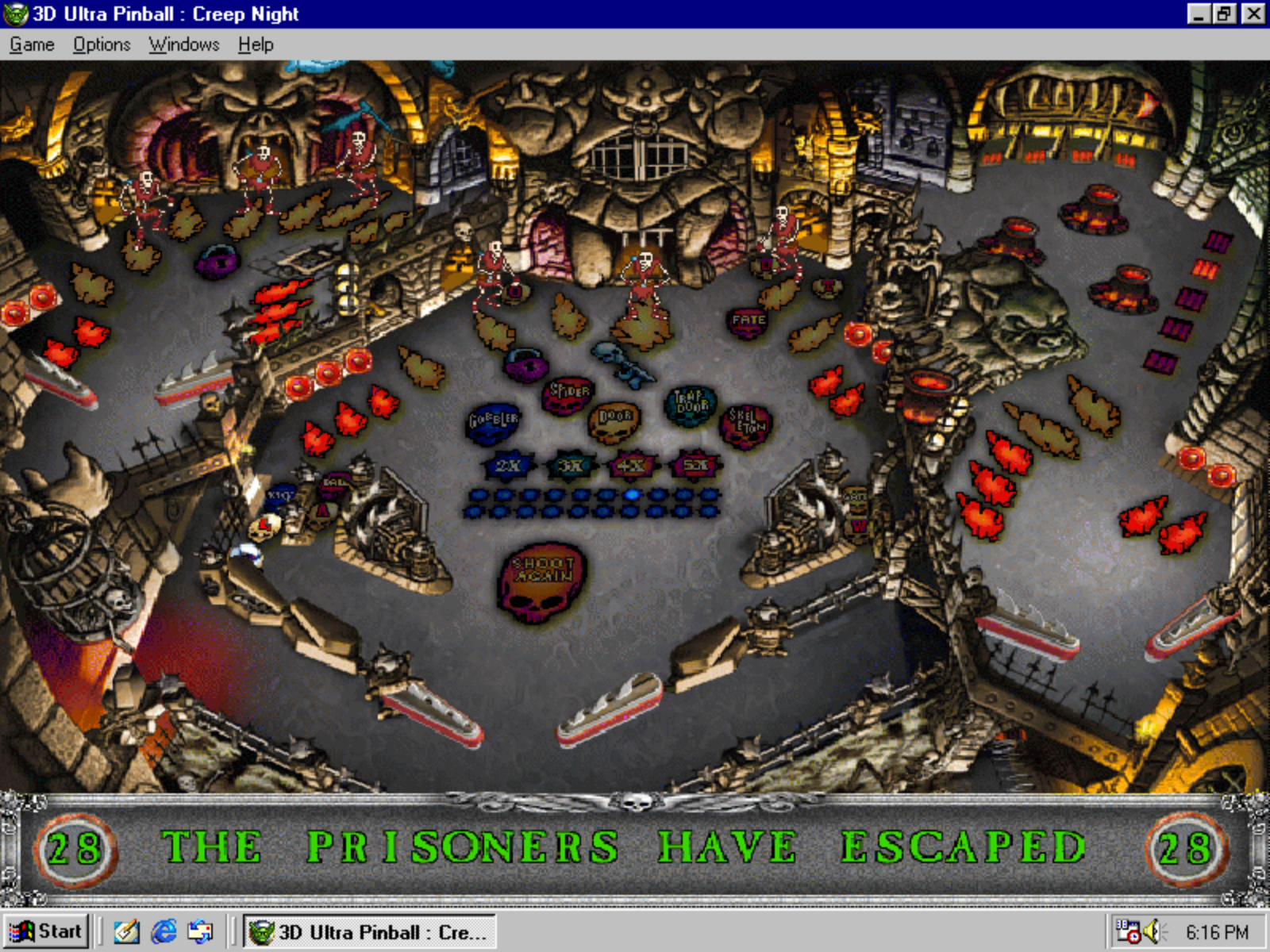
The catacombs under the castle, and the friendliest table for point hunters.
| Challenge | What to do |
|---|---|
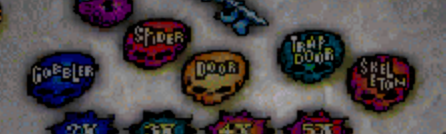
| Gobbler | A hungry ghost chases your ball down and swallows it if it catches up. Keep moving until the time runs out. |
| Spiders | Spiders appear and vanish around the playfield. Squash them where they stand until you run out of time. |
| Dimension Door | This brings you to a video mode similar to the bonus level at Castle. |
| Trapdoor | Similar to Vortex of the Castle table, this is a multiball and you need to repeatedly shoot the trapdoor until all balls but one are drained. The easiest of the three multiball challenges. |
| Skeleton Escape | Six skeletons break out of their cells. Bash every one of them back in. This mode is actually triggered with the first ball on every game on the Dungeon table, so you cannot avoid it. |
Clear all five and a catapult rolls in — hit it a few times to finish the table. The Dungeon’s video mode is the odd one out: four goblins ring bells in sequence and you have to repeat the pattern back to them, Simon-style.
Beyond the multiball challenges, each table has a word spelled out in lit letters. Complete the word by hitting the corresponding part of the table, and the ball locks open up, which is how you start multiball on your own terms rather than waiting for challenges to come around.
| Table | Word |
|---|---|
| Castle | G-O-B-L-I-N |
| Tower | M-O-N-S-T-E-R |
| Dungeon | O-U-T-L-A-W |
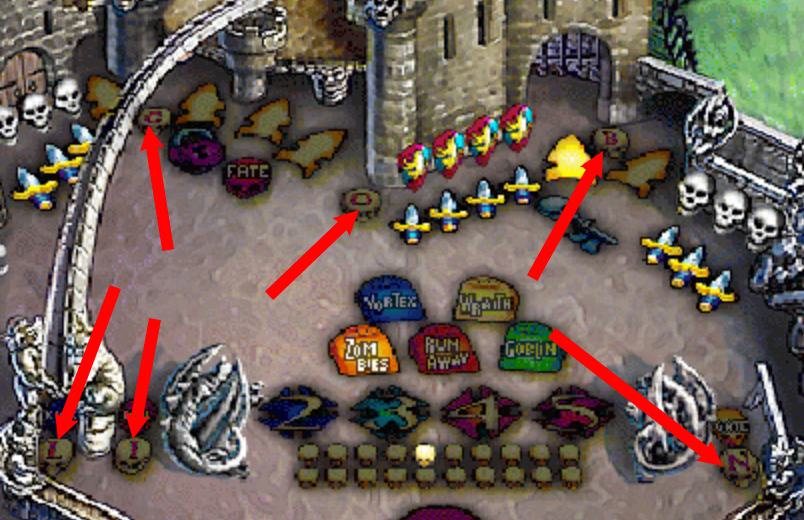
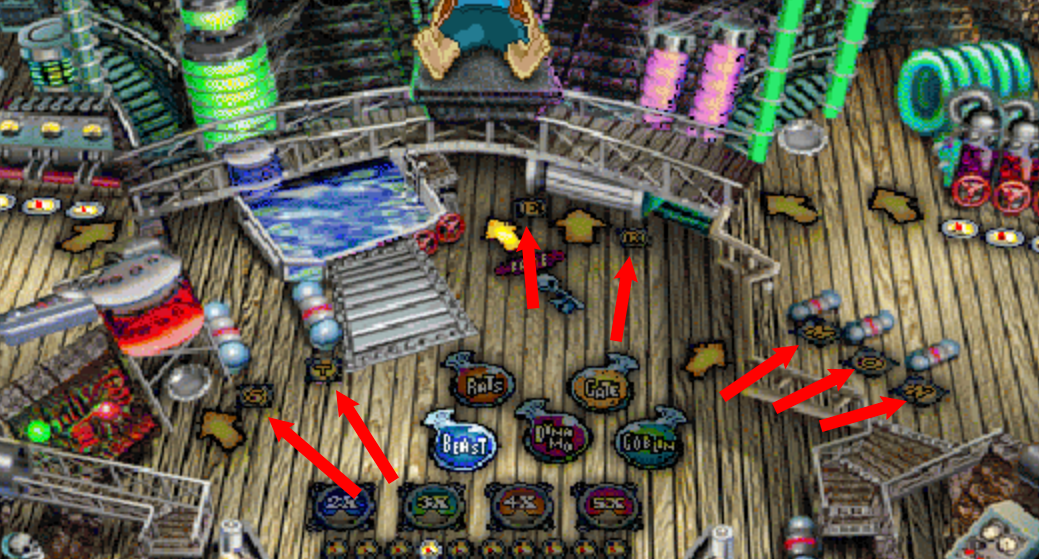
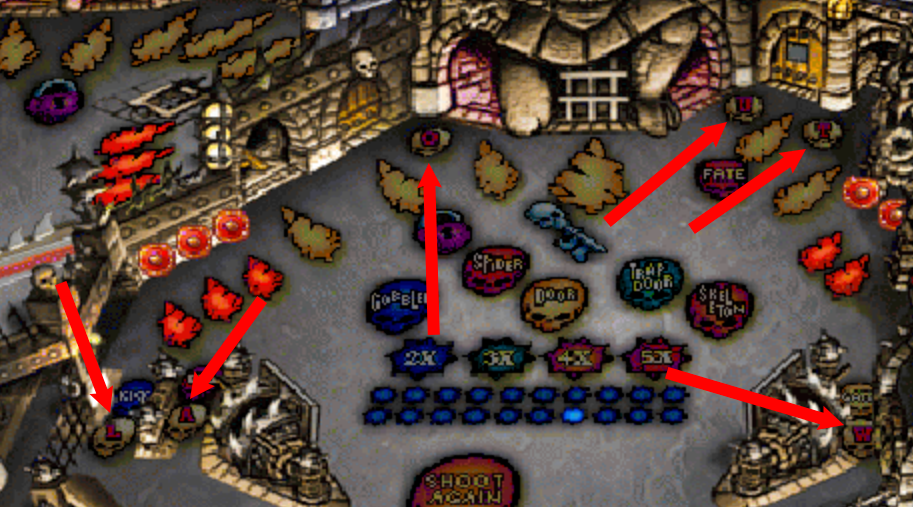
Do not slam the plunger. Launch the ball softly, so that it comes out of a different hole than usual, and the game hands you 10,000,000 points before you have touched a flipper.
But be careful, pluging too softly will cause undesired effects to happen, e.g. the gate closing on the Castle table. So, make sure you get a feeling for it.
Targets and ramps feed a counter (the lights/dots in the middle of the playfield). At 20 points you get to pick a reward from the goblins. The extra ball is worth a lot, like extra lives, if you want to keep on playing. If you want to go through the story mode, pick the continue: When your game ends, you can continue to play with the scores set to zero, but all your other progress preserved.
More Details can be found in the On-Line Help. To access it, just pick any "Help"-Button in the game itself.
On sourcing: the printed manual that shipped with the game covers installation only, the rules lived inside the game itself (and in the On-Line Help). Everything above was pieced together from surviving fan documentation and the original Dynamix demo, and cross-checked where two independent sources existed. Corrections are very welcome.
Strategy
As with physical pinball machines, this game is not purely based on luck. It's a skill game and you can (to a certain degree) control where the ball goes. Nudging the ball is easier in real life on a real pinball machine, to be honest. But in the end, Creep Night features a physics engine and you can control the ball by flipping at the right time or nudging the ball out of an outlane if things go wrong.
A classical pinball technique works here as well: You do not always have to flip. Just let the ball hit the flipper, and the ball will lose its momentum and bounce over to the other flipper. This is sometimes also called a "dead flipper pass" and it works more times than you would think - try it for yourself! Doing this keeps the ball much more in control than reflex shots which cause the ball to careen all over the table.
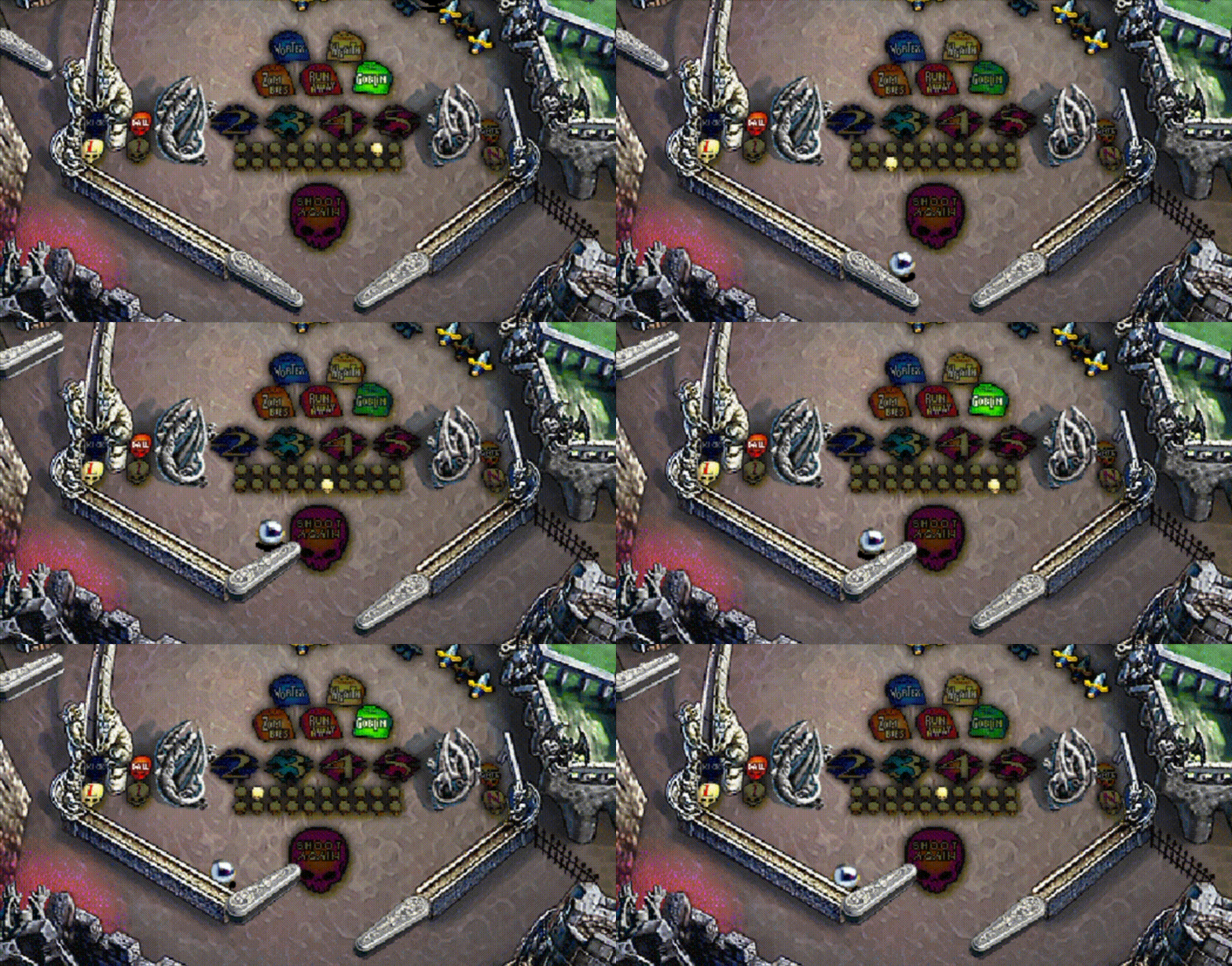
There are some risky modes, such as the Wraith of the Castle table, that want to end your ball. There is no penalty in not engaging with a mode. Just wait until the timer runs out, and be safe.
In physical and digital pinball, new players tend to flip with both flippers at the same time. Don't! If you flip both sides, you will open up the gap in the middle even more. Always just flip the flipper on the side the ball goes to. If the ball bounces off, you can quickly flip with the other side, saving your ball from certain death.
Your goal should always be to stay in control of the ball. Reduce reflex shots to a minimum, always try to "catch" the ball on one of the flippers. Then lower the flipper, let the ball slowly slide down the flipper and flip when the aim is correct. This way you avoid a wild ball that causes havoc on the playfield.
This is especially important during multiball: Always try to play with one ball and collect the other(s) on one of the flippers that you keep raised. This is basically your ammunition belt. If the active ball drains, no problem, just release one of the "stored" balls. This reduces complexity and multitasking, so you can focus on your shots.
Secrets
When doing some reverse engineering, some cheats and easter eggs (little jokes put in by the developers) were discovered. Here's a list!
In the main menu, open the Highscore screen. Then enter "data" into the void, by just pressing the letters on your keyboard. You will hear a voice saying "Excellent!". This confirms that the cheat mode (or developer mode?) is now active.
This is necessary for some of the commands below to work.
During an active game, enter "FIN" by typing these letters in. To make this easier, press "P" to pause the game.
You should hear a callout like "Avoid the gobbler, he's hungry!". This confirms that all modes are now considered done.
This only works when starting the game in story mode, i.e. with all three tables.
Having a dedicated "boss key" was common in games of that time. In the 1990s, gamers would often use workplace computers to play their video games - on the one hand because computers were expensive and not everyone had one at home; on the other hand, restrictions on what to install on your workplace computer were basically non existent.
So, in any active game, when your manager is walking in on you, just press the letter "U" on your keyboard. This minimizes the game into the task bar and changes the title of the window to "New Text Document":

Cows are a common easter egg in physical pinball machines (for unknown reasons, as far as I can tell). And the digital pinball world of "3-D Ultra Pinball: Creep Night" is no stranger to cow easter eggs as well.
During an active (or paused) game, type in the word "COWS" to hear a moo sound. This confirms that the code worked.
Now, the characters in the shooting bonus games have been replaced by cows - some cows walking, some running, some riding an ATV.
Another cow easter egg is found in the sprite database and parts of the code. It replaces the green goblins with cows during the Goblin challenge modes, if activated.
At this time it's not known how to trigger this easteregg, as no code can be found relating to the easter egg, but by patching the game files, we can still trigger it.

Find a patching tool to enable this easter egg on the Downloads page.
Here is a GIF with gameplay footage how that looks like in action. Pretty neat :-)
Under the hood
The game and its engine, made by Dynamix, are quite interesting. The "3-D" in the title is basically stretching it a little bit - this game is purely made of 2D sprites of pre-rendered 3D objects. But there is more to it than you would think.
I wrote a whole article about it on my blog, see here fore even more details.
3-D Ultra Pinball: Creep Night was developed by Dynamix using a largely 2D, sprite-based rendering system, despite its "3-D" branding. The tables and many game objects were originally created as 3D artwork, but rendered in advance and stored as 2D graphics. At runtime, the game combines these pre-rendered assets rather than drawing a real-time polygonal 3D scene (as you would expect nowadays)
Each main table uses a pre-rendered 640×480 background, in 256 colors. Animated elements such as the ball, goblins, ghosts, bumpers and other objects are drawn as separate sprite layers on top of this background.
The graphics use 8-bit indexed colour palettes. There is no modern
alpha channel; sprite transparency appears to use color-key transparency,
with palette index 0 acting as the transparent value. Pixels marked as
transparent simply leave the existing background unchanged.
The engine also appears to use separate foreground or occlusion layers to create depth. When the ball passes behind a ramp, pipe or other table element, the relevant foreground (well, originally background) section can be drawn again over the ball. This provides convincing depth without requiring a Z-buffer or real-time 3D geometry.
On modern pixel-perfect displays, these techniques can occasionally reveal small seams, dithering differences or one-pixel "wobble" effects that would have been far less noticeable on a contemporary CRT monitor.
Most game assets are stored in:
RESOURCE.MAP
RESOURCE.001
RESOURCE.MAP acts as an index, while RESOURCE.001
contains the actual resources.
The examined version contains 854 resources, including:
430 WAV
275 BMP
109 ANM
19 ITF
7 PAL
4 TBL
4 TBM
4 RES
2 PFT
These extensions do not necessarily represent standard file formats. For example,
the internal .BMP resources use a proprietary Dynamix container beginning
with the signature: BMP:. A single such resource may contain multiple individual sprite frames.
All resources, independent on their actual type, feateure a header containing some meta information. For graphics, for example, this is the height, width, compression type/encoding, compressed size and uncompressed size.
The proprietary bitmap frames commonly use an encoding byte of 0x83.
Analysis of the original PINBALL2.EXE showed that the engine masks off
the high bit, producing "compression type 3".
The reconstructed decoder uses an LZ-style back-reference compression scheme. Each decoded image produces exactly one byte per pixel, matching the expected width × height of the frame.
The game contains 275 bitmap resources with 6,833 individual frames, which is quite a lot for the time back then, all of which can be successfully decoded using the reconstructed Type-3 decoder (see Downloads).
Animation data is stored primarily in .ANM resources. Objects may have
several animation states, with state IDs derived from the base object ID.
This system is used for normal gameplay states such as appearing, looping, being hit or disappearing, but it also contains unused or hidden animation states.
The game's "Large" installation option copies OVERRIDE.DAT to the hard drive.
This file contains almost the complete resource set locally. Compared with
RESOURCE.001, only 37 large WAV files are omitted — roughly
34 minutes of audio.
In practical terms, the Large installation moves graphics, animations and short sound effects to the hard drive while leaving the large music/audio tracks on the CD. Quite a nifty idea to reduce loading times for users with large harddrives: The music can be streamed from the slow CD, but all game assets are already on the much faster hard drive.
Free tools
All downloads on this page are under the MIT license, so you can basically do whatever you want with them. Even though this game can be considered abandonware, this does not void the copyright.
Therefore: No game assets or game code are included! For these tools to work, you need the game files, e.g. from the CD or an ISO (that you legally own, riiiiiiight?).
Use this Python-based tool to extract data from the RESOURCE.001 or OVERRIDE.dat file.
More information can be found here in my blog post; a manual regarding usage of the tool and structure of the resource file is included in the ZIP file.
This tool patches the PINBALL2.exe, so that the "cows instead of Goblins" easter egg can be triggered (to see it in action, see this GIF). In the finished game, only the easter egg with cows in the shooting game can be triggered. This patch applies the same logic of activation to the "mcow" easter egg. More details, see Cheats & Eastereggs.
See the README.md in the ZIP file on how to use it and how to trigger the easter egg.
Note: Everything you do, you do - as always in life - at your own risk. If you need support, send a message to creepnight@forspamonly.com, and I will try to offer support to the best of my knowledge.
Get in touch
Corrections, missing cheats, a table layout you mapped out yourself — all welcome.
creepnight@forspamonly.com
(Yes, this email address really exists. Don't worry.)
This whole infosite was born out of my curiosity on how the game engine works. After the resource extractor tool was created, I decided that the blog post is not a sufficient way of sharing this information, so I created this info site.
All information on here should be taken with a grain of salt, since nothing is certain, I did not program the game and only have limited insight into the game's code through reverse engineering. And I am probably wrong about some of this stuff :-)
Unofficial fan site. Not affiliated with Sierra On-Line, Dynamix or any successor rights holder.